
Create a website easily with this beginner-friendly guide. Learn website design basics, website builders, website makers, and how to create a website for free.
Create a Website: Getting the Basics Right From Day One
Before you jump into tools or layouts, it’s important to understand what it really means to create a website. Many beginners think it’s just about picking a website builder and clicking publish, but there’s a bit more to it than that.
When you create a website, you’re actually combining a few core pieces:
- A domain name (your website’s address)
- Pages with content people can read and understand
- A structure that works well on desktop and mobile
- A basic website design that doesn’t confuse visitors
If you don’t own a domain yet, follow this complete guide on how to buy a domain name to avoid common mistakes with pricing, ownership, and renewals.
The good news is that modern website builders and website makers take care of most technical tasks for you. You don’t need coding knowledge, and you don’t need to understand how servers work. Your main job is to make clear choices and add helpful content.
This is why beginners often succeed faster today than ever before. The tools are simpler, and the learning curve is much lower.
If you want an official beginner checklist, the Australian Government explains the core steps to create a website — from defining goals and choosing a domain name to selecting hosting and planning website design — in this guide on setting up a business website.
Choosing a Domain Name Before You Create a Website
One of the first real decisions you’ll make when you create a website is choosing a domain name. This step matters more than most people realise, especially if you want your site to grow over time.
A good domain name should be:
- Easy to read and remember
- Related to what your website is about
- Short enough to type without mistakes
- Suitable for long-term use
Before you build a website, choosing the right domain name is critical for branding, trust, and long-term growth. If you haven’t decided yet, this guide explains how to choose the perfect domain name for your business, including SEO, branding, and practical considerations.
This doesn’t mean you need keywords stuffed into your domain. Simple, clear names usually work best, especially for beginners.
After purchasing a domain, there are a few important setup steps many beginners miss. This guide explains exactly what to do after buying a domain name before launching your website.
Website Builder or Website Maker: What Beginners Should Know
At this stage, many people get stuck choosing between a website builder and a website maker. In reality, these terms are often used to describe the same type of tool.
Both are designed to help you:
- Create a website visually
- Manage pages without coding
- Adjust website design using simple controls
- Publish updates easily
Instead of worrying about labels, focus on ease of use. The best website builder for you is the one that feels intuitive and lets you focus on content, not settings.
For an informational website like this one, simplicity always beats complexity.
If you’re creating a site for commercial use, this small business website guide covers practical decisions around structure, pages, and features that help convert visitors into customers.
How to Create a Website Without Coding (Beginner-Friendly Approach)
One of the biggest fears people have before they create a website is coding. Words like HTML, CSS, or JavaScript can sound intimidating, especially if you’ve never touched anything technical before.
Here’s the reality: you do not need coding skills to create a website today.
Most modern website builders are designed specifically for beginners. They use visual editors where you can see exactly what your website will look like while you’re building it. You click, type, move sections around, and everything updates in real time.
This is why creating a website is no longer a technical task. It’s more like editing a document or putting together a presentation.
What Actually Happens When You Use a Website Builder
When you use a website builder or website maker, a lot of complex work happens in the background without you needing to think about it.
Behind the scenes, the platform:
- Handles hosting and server setup
- Manages page structure and layouts
- Ensures your website works on mobile devices
- Takes care of updates and security basics
From your side, the process is simple:
- Choose a layout or template
- Replace example text with your own content
- Add images, headings, and sections
- Adjust basic website design settings like colours or fonts
This approach allows beginners to create a website quickly without breaking anything or worrying about technical errors.
Creating a Website Step by Step (High-Level Overview)
Before we go deeper into details later in the guide, it helps to see the big picture.
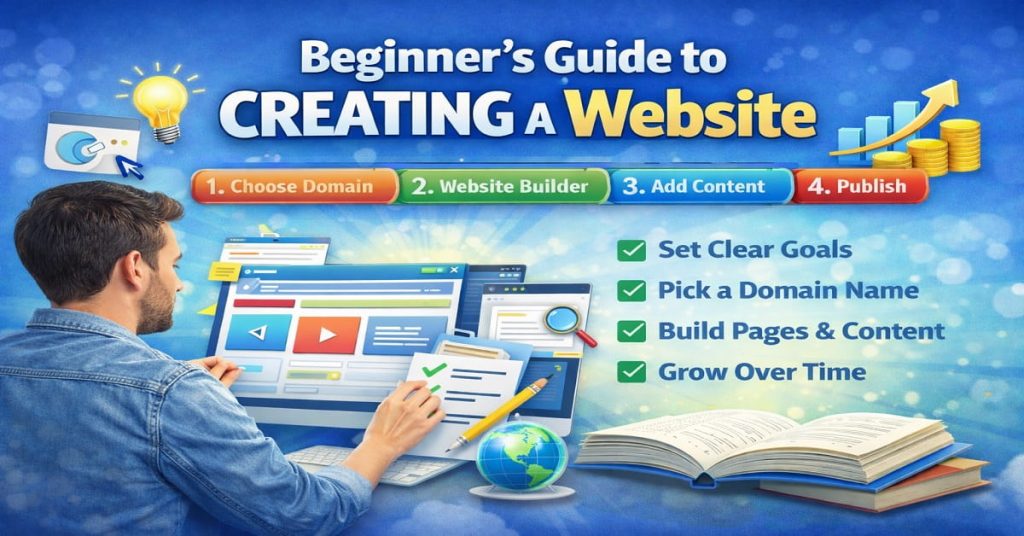
When you create a website using a website builder, the usual flow looks like this:
- Decide what your website is about
- Choose a domain name
- Pick a website builder or website maker
- Select a basic layout
- Add pages and content
- Check mobile and desktop views
- Publish the website
You don’t need to get everything perfect on day one. Most successful websites start simple and improve over time.
Website Design: Why Simple Always Wins
A common beginner mistake is trying to make a website look “fancy” straight away. Animations, complex layouts, and too many colours often make things worse, not better.
Good website design focuses on:
- Clear text that’s easy to read
- Simple navigation menus
- Enough spacing between sections
- Layouts that work well on mobile
When you create a website with these basics in mind, visitors stay longer and understand your content more easily. Search engines also prefer websites that load fast and are easy to use.
Simple website design is not boring. It’s effective.
Website Builder vs Custom Coding (Why Beginners Should Avoid Coding)
Some people wonder if they should skip website builders and code everything manually. For beginners, this usually causes more problems than benefits.
Custom coding:
- Takes much longer to learn
- Makes small changes harder
- Increases maintenance issues
- Isn’t necessary for most websites
Website builders exist because they solve these problems. They allow you to create a website efficiently while focusing on content and structure rather than technical details.
For informational websites, blogs, and small projects, website builders are usually the smartest choice.
How to Create a Website for Free (What You Can and Can’t Expect)
One of the most common questions beginners ask is whether it’s possible to create a website for free. The short answer is yes — but there are some important things you should understand before choosing this route.
Free website builders exist mainly to help beginners get started. They’re designed to remove financial pressure while you learn the basics of website creation, website design, and content structure.
If your goal is learning, experimenting, or testing an idea, starting free is completely fine.
What “Free” Really Means When You Create a Website
When you create a website for free, you’re usually getting:
- A basic website builder or website maker
- Pre-made templates
- Limited storage and features
- A subdomain instead of a custom domain
- Platform branding or ads
From a beginner’s point of view, this setup is often enough to understand how pages work, how layouts feel, and how content looks on desktop and mobile.
The key benefit is experience. You learn by doing, without risk.
When a Free Website Builder Makes Sense
Creating a website for free works well if:
- You’re just learning how websites work
- You want to practise website design basics
- You’re not ready to commit money yet
- You’re testing an idea or concept
- You don’t care about branding initially
Many successful website owners started this way. They learned the basics using a free website builder, then upgraded later once they knew what they needed.
Limitations You Should Know About
While free options are useful, they do come with limitations.
Common restrictions include:
- Limited control over website design
- Slower loading times
- Platform ads you can’t remove
- Less flexibility as your site grows
This doesn’t mean free is bad. It just means free is a starting point, not always the final destination.
Understanding these limits helps you make better decisions as your website evolves.
Free vs Paid: The Beginner Mindset Shift
When you first create a website, it’s easy to think everything must be perfect from day one. That’s not how real websites grow.
Most websites follow this path:
- Start simple
- Learn how content and design work
- Improve gradually
- Upgrade only when needed
A free website builder helps you get through steps one and two without pressure. Once you understand how things work, moving to a paid option feels far less intimidating.
Focus on Content First, Not Tools
Whether you create a website for free or paid, one rule always applies: content matters more than tools.
Clean writing, clear structure, and helpful information will always outperform flashy design. Website builders and website makers are just tools — how you use them matters far more.
If you focus on content early, everything else becomes easier later.
Pages Every Website Should Have (Don’t Skip These)
When people create a website for the first time, they often focus too much on design and forget about structure. But structure matters just as much as visuals, especially for visitors and search engines.
No matter which website builder or website maker you use, there are a few essential pages every website should have. These pages help people understand who you are, what your website is about, and what to do next.
You don’t need dozens of pages on day one. A simple, well-structured website almost always performs better than a large, confusing one.
Homepage: The First Impression Page
Your homepage is usually the first thing people see when they visit your site. When you create a website, this page should clearly answer three questions within seconds:
- What is this website about?
- Who is it for?
- What should I do next?
Good homepage website design is clean and focused. Use clear headings, short sections, and simple language. Avoid trying to explain everything at once.
Think of the homepage as an introduction, not a full explanation.
About Page: Build Trust Without Oversharing
Many beginners underestimate the importance of an About page. This page helps visitors connect with your website on a human level.
When you create a website, your About page doesn’t need a long life story. It should explain:
- Why the website exists
- What problem it helps solve
- Who it’s meant for
Simple, honest explanations work best. Trust builds faster when people understand the purpose behind the site.
Content Pages: Where the Real Value Lives
Content pages are where your website actually delivers value. These might be blog posts, guides, tutorials, or informational articles.
If your goal is to create a website that grows over time, content pages are essential. This is where search engines find useful information to rank, and where visitors spend the most time.
When creating content:
- Focus on clarity, not length
- Use headings to break up text
- Write in a natural, conversational way
Website builders make it easy to add and manage these pages, so there’s no need to overthink the technical side.
Contact Page: Make It Easy to Reach You
Even informational websites benefit from a simple Contact page. Visitors like knowing there’s a real person or team behind a website.
A basic Contact page can include:
- A contact form
- An email address
- Simple instructions on how to get in touch
You don’t need complex forms or extra features. Clear and accessible is enough.
To look more professional, many site owners also set up branded email addresses. This guide shows how to create your own email domain and connect it to your website properly.
Legal Pages (Often Ignored, Still Important)
When you create a website, especially one that uses ads or collects data, basic legal pages matter.
Common examples include:
- Privacy Policy
- Terms of Use
Even simple websites benefit from these pages. They help build trust and show that your website is legitimate and well-maintained.
Start Small, Expand Later
One of the biggest mistakes beginners make is trying to build every page at once. That usually leads to burnout or unfinished websites.
A smart approach is:
- Start with the core pages
- Publish the website
- Improve and expand gradually
Most successful websites didn’t start perfect. They evolved over time.
Common Mistakes Beginners Make When They Create a Website
When people create a website for the first time, mistakes are normal. Almost everyone makes them. The problem isn’t making mistakes — it’s not realising what’s holding your website back.
The good news is that most beginner mistakes are easy to avoid once you know what to look out for.
Trying to Make the Website Perfect From Day One
One of the biggest mistakes is trying to get everything perfect before publishing.
Many beginners delay launching because:
- The website design doesn’t feel “finished”
- The layout keeps changing
- They keep tweaking colours and fonts
- They’re afraid of doing something wrong
When you create a website, perfection should not be the goal. Progress should be. A simple, live website is always better than a perfect website that never gets published.
You can always improve things later.
Focusing Too Much on Design and Not Enough on Content
It’s easy to get distracted by themes, templates, and visuals. Website builders make design changes fun and quick, which can become a trap.
Good website design matters, but content matters more.
If you create a website with:
- Clear explanations
- Useful information
- Easy-to-read text
…it will usually perform better than a beautiful website with little substance.
Design supports content, not the other way around.
Adding Too Many Pages Too Soon
Another common mistake is creating too many pages at the start. Beginners often think more pages mean a better website.
In reality:
- Too many empty pages confuse visitors
- Unfinished pages look unprofessional
- Search engines prefer quality over quantity
When you create a website, it’s better to have a few strong pages than many weak ones. Start small and expand as your confidence grows.
Ignoring Mobile Users
Many beginners build their website on a desktop and forget to check how it looks on mobile.
This is a big mistake.
Most visitors today browse on phones. Website builders usually offer mobile previews for a reason. Use them.
When you create a website, always:
- Check text size on mobile
- Make sure buttons are easy to tap
- Avoid overcrowded layouts
Simple mobile-friendly website design improves user experience and search visibility.
Overloading the Website With Tools and Features
Website builders and website makers often offer lots of add-ons, widgets, and features. Beginners sometimes install everything “just in case”.
This can slow down your site and make it harder to manage.
When you create a website, ask yourself:
- Does this feature actually help visitors?
- Is it necessary right now?
- Does it add value or just clutter?
Less is usually more, especially at the beginning.
Forgetting the Purpose of the Website
Every website should have a clear purpose. Beginners sometimes create pages without thinking about why they exist.
Before adding anything, ask:
- What problem does this page solve?
- Who is it for?
- What action should visitors take?
A clear purpose keeps your website focused and easier to grow.
Learning While Building Is Normal
Many beginners think they should understand everything before they create a website. That mindset often stops progress.
In reality, most people learn by building:
- You publish
- You notice what works
- You adjust
- You improve
Website builders are designed for this exact process. Don’t wait until you feel “ready”. Start, then learn as you go.
Website Design Basics That Actually Matter (Keep It Simple)
When people create a website, design is often the part they stress about the most. Fonts, colours, layouts, spacing — it can feel overwhelming very quickly.
Here’s the truth: good website design is not about being creative or fancy. It’s about being clear, readable, and easy to use.
If visitors can’t understand your website within a few seconds, the design has failed, no matter how good it looks.
Clarity Always Beats Creativity
One of the biggest mistakes beginners make is trying to be “different” with design. Unusual layouts, hard-to-read fonts, or unexpected navigation might look creative, but they usually confuse visitors.
When you create a website, clarity should always come first.
Good website design means:
- Headings that explain what the section is about
- Text that’s easy to read
- Obvious navigation menus
- Pages that flow logically
Website builders already follow many of these rules by default, which is why simple templates often work best.
Readability Is More Important Than Style
If people struggle to read your content, they won’t stay — even if your website looks beautiful.
To improve readability:
- Use short paragraphs
- Break text into sections with headings
- Avoid tiny font sizes
- Leave space between sections
When you create a website with readability in mind, visitors stay longer and understand your content better. Search engines also favour websites that are easy to use.
Mobile-Friendly Design Is Not Optional
Many beginners design their website on a laptop and forget to check how it looks on a phone. This is a critical mistake.
Most visitors today access websites on mobile devices. That means:
- Text must be readable without zooming
- Buttons should be easy to tap
- Menus should be simple
- Pages should load quickly
Website builders and website makers usually include mobile previews. Use them every time you make a change.
If your site works well on mobile, it usually works well everywhere.
Consistency Makes a Website Feel Professional
Professional websites feel consistent. Colours match. Fonts don’t change randomly. Spacing feels balanced.
When you create a website, try to:
- Stick to one or two fonts
- Use a small colour palette
- Keep headings consistent
- Repeat layout patterns across pages
Consistency builds trust. Visitors feel more comfortable navigating a website that looks organised and predictable.
Less Design Is Often Better Design
It’s tempting to add animations, sliders, background videos, and visual effects. Website builders make this very easy.
But more design elements don’t always improve a website.
Simple website design:
- Loads faster
- Is easier to maintain
- Works better on all devices
- Helps content stand out
When in doubt, remove rather than add.
Design Should Support Content, Not Compete With It
The main job of website design is to support content. Design should guide attention, not distract from the message.
When you create a website, always ask:
- Does this design choice help visitors understand the content?
- Or does it just look nice?
If it doesn’t help the reader, it probably doesn’t belong.
SEO Basics for New Websites (Simple, No Technical Headaches)
When you create a website, one of the biggest questions is how people will actually find it. This is where SEO comes in. SEO simply means helping search engines understand what your website is about so they can show it to the right people.
The good news is that SEO doesn’t need to be complicated, especially at the beginning. You don’t need advanced tools or technical knowledge to get the basics right.
Your domain can also influence search visibility. This guide on choosing a domain name that boosts your SEO explains what actually matters for rankings and what myths to ignore.
What SEO Really Means for Beginners
SEO is not about tricks or shortcuts. When you create a website, SEO is mostly about clarity.
Search engines look for:
- Clear topics
- Useful content
- Easy-to-read pages
- Websites that work well on mobile
If your website builder helps you create clean pages and your content answers real questions, you’re already doing most of the work.
One Page, One Main Topic
A common beginner mistake is trying to cover too many topics on one page. This confuses both visitors and search engines.
When you create a website, each page should focus on:
- One main topic
- A clear purpose
- A specific type of visitor
For example, a page about website design should not also try to explain hosting, domains, and coding all at once. Clear focus improves readability and SEO at the same time.
Headings Matter More Than You Think
Headings help organise content and guide readers through a page. They also help search engines understand structure.
Good heading habits include:
- One clear main heading per page
- Subheadings that explain sections
- Logical order from top to bottom
When you create a website using a website builder, headings are easy to add. Use them to break long content into readable sections.
Write for Humans First, Search Engines Second
One of the best SEO habits you can develop is writing naturally. If content sounds robotic or forced, people leave quickly.
When you create a website:
- Write the way you would explain something to a friend
- Avoid repeating the same phrase unnaturally
- Use simple language
- Keep sentences clear and direct
Search engines are very good at understanding natural language. If humans enjoy reading your content, search engines usually do too.
Page Speed and Mobile Experience Matter
SEO isn’t just about words. How your website performs also matters.
Search engines prefer websites that:
- Load quickly
- Work well on mobile devices
- Don’t feel cluttered or broken
Most modern website builders already handle this well, as long as you don’t overload your pages with unnecessary features.
When you create a website, always check how it looks and feels on a phone.
Fresh Content Helps Over Time
SEO is not instant. New websites take time to grow. One of the best ways to help search engines notice your site is by adding content regularly.
This doesn’t mean publishing every day. Even small updates help, such as:
- Adding new articles
- Expanding existing pages
- Improving clarity and structure
Consistency matters more than speed.
SEO Is a Long-Term Game
When you create a website, it’s important to set realistic expectations. SEO growth usually looks like this:
- Slow progress at the beginning
- Gradual improvement
- Strong results over time
There are no shortcuts that last. Focus on building a helpful website, and SEO will follow naturally.
How to Grow a Website Over Time (Slow, Steady, and Realistic)
When you create a website, growth rarely happens overnight. This is where many beginners feel discouraged and give up too early. In reality, almost every successful website grows slowly at first.
Website growth is not about doing everything at once. It’s about building habits that compound over time.
If you accept this early, the whole process becomes less stressful and much more sustainable.
Start With One Clear Direction
One of the biggest reasons websites fail to grow is lack of focus. People publish random content, change topics often, or redesign constantly.
When you create a website, decide:
- Who the website is for
- What problem it helps solve
- What type of content you’ll focus on
Growth becomes easier when your website has a clear direction. Search engines and visitors both prefer websites that stay consistent.
Add Content Gradually (Quality Beats Speed)
You don’t need to publish content every day. In fact, pushing too hard often leads to burnout.
A better approach is:
- Publish consistently
- Focus on usefulness
- Improve older content over time
If you create a website and add one strong piece of content every week or two, that’s more than enough. Over months, this adds up.
Website builders make it easy to edit and expand content later, so nothing is wasted.
Improve Existing Pages Before Creating New Ones
Many beginners keep adding new pages without improving existing ones. This spreads effort too thin.
A smarter growth strategy is:
- Review older pages
- Make explanations clearer
- Add more detail where needed
- Improve headings and structure
When you create a website, small improvements to existing content can have a bigger impact than publishing something new.
Learn From What Visitors Actually Do
You don’t need advanced analytics to understand your website. Even basic observation helps.
Pay attention to:
- Which pages people spend time on
- Which pages feel unfinished
- Which topics feel easier to write about
Website growth improves when you listen to real behaviour instead of guessing.
Don’t Redesign Too Often
It’s tempting to constantly change website design, especially when using a website builder that makes changes easy.
Frequent redesigns:
- Slow down content creation
- Confuse returning visitors
- Waste time that could be spent improving content
When you create a website, pick a simple design and stick with it for a while. Content and clarity matter far more than frequent visual changes.
Growth Is Not Linear (And That’s Normal)
Website growth usually looks uneven:
- Some weeks nothing happens
- Some pages perform better than others
- Progress feels slow at times
This is completely normal. Most websites grow in small jumps, not smooth lines.
The key is consistency. If you keep improving and adding value, growth eventually follows.
Think Long-Term From the Start
The biggest advantage you can give yourself when you create a website is patience.
Websites that succeed usually:
- Focus on helping visitors
- Improve over time
- Avoid shortcuts
- Stay consistent
If you treat your website like a long-term project instead of a quick win, the results tend to be much stronger.
Monetising an Informational Website With AdSense (Realistic Expectations)
Many beginners create a website with the hope of earning money one day, but feel unsure how that actually works for informational content. The good news is that informational websites are one of the best long-term models for AdSense when done properly.
AdSense works best when people spend time reading, scrolling, and exploring multiple pages. Informational content naturally encourages this behaviour.
If you create a website that genuinely helps people, monetisation becomes a side effect, not the main focus.
Why Informational Content Works Well With AdSense
Informational websites attract visitors who are actively looking for answers. These visitors:
- Read more carefully
- Scroll slowly
- Visit multiple pages
- Spend longer on the site
This is exactly the kind of behaviour AdSense rewards.
When you create a website using helpful guides, tutorials, and explanations, ads blend naturally into the reading experience without feeling intrusive.
AdSense Is About Volume and Time, Not Tricks
A common misconception is that AdSense requires clever placement tricks or aggressive ad layouts. In reality, stable earnings come from:
- Consistent traffic
- Longer reading time
- Multiple pages per visit
If you create a website with clear structure and easy navigation, visitors naturally move through your content. That increases ad impressions without forcing anything.
Website builders make it easy to structure pages cleanly, which helps ads appear naturally between sections.
Content Quality Comes Before Monetisation
One of the biggest mistakes beginners make is thinking about ads too early.
Before adding AdSense, focus on:
- Writing useful content
- Improving website design readability
- Publishing enough pages to look complete
- Making sure the website works well on mobile
When you create a website that feels unfinished or thin, ads can actually hurt trust. A solid content foundation should always come first.
Where Ads Work Best on Informational Pages
You don’t need many ads for AdSense to work. In fact, fewer well-placed ads usually perform better than cluttered layouts.
On informational pages, ads tend to work best:
- After the introduction
- Between major sections
- Near the end of long articles
Website builders usually support auto ads or simple ad placements. Start simple and adjust later based on how the site feels to use.
Patience Is Part of the Monetisation Process
AdSense is not instant income. When you create a website, monetisation usually follows this pattern:
- Little or no earnings at the start
- Small increases as traffic grows
- More stable income over time
This is normal. Informational websites often take months to build momentum, but once they do, they tend to be more stable than trend-based sites.
Focus on Helping First, Earnings Follow
The most successful AdSense websites don’t feel like they’re trying to make money. They feel helpful.
When you create a website with the mindset of solving problems, explaining things clearly, and improving content over time, visitors trust your site. Trust leads to longer sessions, repeat visits, and better monetisation.
AdSense rewards that naturally.
Website Maintenance Basics (Keep It Simple and Stress-Free)
When people create a website, they often think the work ends once it’s published. In reality, a website is more like a living project. It doesn’t need constant attention, but a little basic maintenance goes a long way.
The good news is that website maintenance today is much easier than it used to be, especially if you’re using a modern website builder.
What Website Maintenance Actually Means
Website maintenance doesn’t mean technical work or daily updates. For beginners, it usually involves a few simple habits.
Basic maintenance includes:
- Checking that pages still look good
- Making sure content is easy to read
- Updating information when something changes
- Keeping the website organised
If you create a website with clean structure and simple website design, maintenance becomes very manageable.
Keeping Content Fresh Over Time
You don’t need to rewrite everything constantly. Small improvements are enough.
Good content maintenance habits:
- Fix typos when you notice them
- Add clarity to older sections
- Expand short explanations
- Update outdated information
When you create a website and slowly improve existing content, search engines and visitors both see positive signals.
Design Maintenance: Don’t Overthink It
Many beginners feel the urge to redesign their website frequently. This usually causes more problems than benefits.
Instead of redesigning:
- Stick to one clean layout
- Make small design tweaks only when needed
- Focus more on content than visuals
Website builders and website makers are designed to keep layouts stable, which helps you avoid accidental design issues.
Mobile Checks Are Worth Doing
Even if your website builder handles mobile layout automatically, it’s still a good idea to check your site on a phone from time to time.
When you create a website, occasional mobile checks help you catch:
- Text that’s too small
- Buttons that are hard to tap
- Sections that feel crowded
Fixing small issues early prevents bigger problems later.
Backups and Updates (Basic Awareness)
Most modern website builders handle updates and backups for you. Still, it’s good to know what’s happening behind the scenes.
At a basic level:
- Understand how your website is backed up
- Know how to restore pages if needed
- Avoid installing unnecessary features
This awareness gives peace of mind without adding complexity.
Maintenance Is About Consistency, Not Effort
Website maintenance doesn’t require technical skills or large time commitments.
If you create a website and spend:
- 10–15 minutes checking it every week
- A little time improving content monthly
That’s usually enough to keep things running smoothly.
Consistency beats intensity.
A Well-Maintained Website Feels Trustworthy
Visitors may not consciously notice maintenance, but they feel it.
A website that:
- Works properly
- Reads clearly
- Looks consistent
…feels trustworthy and professional.
That trust helps with engagement, return visits, and long-term growth.
Conclusion: Creating a Website Is Easier Than You Think
If there’s one thing to remember, it’s this: anyone can create a website today. You don’t need technical skills, you don’t need a big budget, and you don’t need everything figured out from day one.
Creating a website is a process, not a one-time task. Most successful websites started simple, improved gradually, and grew over time. The key is to begin with clear goals, focus on helpful content, and use tools like website builders and website makers to remove unnecessary complexity.
Good website design isn’t about being flashy. It’s about being clear, readable, and easy to use. When visitors understand your content and feel comfortable navigating your site, everything else becomes easier — from SEO to long-term growth.
If you take anything away from this guide, let it be this:
- Start simple
- Publish before you feel “ready”
- Improve as you learn
- Stay consistent
When you create a website with patience and purpose, progress follows naturally. Over time, your site becomes more useful, more visible, and more valuable — both to visitors and to you.
The hardest part is starting. Once you do, everything else is just a series of small steps forward.
Frequently Asked Questions (FAQ)
What exactly does it mean to create a website?
Creating a website means building an online space where people can view your content, learn about your topic, or interact with your brand. It includes choosing a domain name, selecting a layout with a website builder, organising pages, adding content, and publishing it so others can find it online.
Do I need coding skills to create a website?
No. Modern website builders and website makers are designed for beginners. They use visual editors with drag-and-drop tools, so you don’t need to write any code to build pages, add text, images, or customise a layout.
What is the difference between a website builder and custom coding?
A website builder lets you create a website visually without technical knowledge, while custom coding requires writing HTML, CSS, and other code. Website builders handle most technical tasks for you, making them ideal for beginners and informational sites.
How long does it take to create a website?
The time it takes to create a website depends on your goals and content. A simple informational site can be built in a few hours, while a more detailed project with many pages might take a few days. Using a website builder significantly reduces setup time.
Can I create a website for free?
Yes, there are free website builders that let you create and publish a website without upfront costs. These usually come with limitations like a subdomain, platform branding, or restricted features. They are great for learning and experimentation before upgrading.
What pages should every new website have?
At minimum, most websites include:
A homepage that explains what the site is about
An about page to build trust
One or more content pages with useful information
A contact page so visitors can reach you
Adding legal pages like a privacy policy helps with transparency too.
How do I make my website look good without design experience?
Good website design is about clarity, not complexity. Use simple headings, readable text, consistent colours, and clear menus. Focus on how information flows logically rather than how “fancy” it looks. This improves both user experience and search visibility.
Will my website work on mobile devices?
Most website builders include mobile-friendly templates and automatically adjust layout for smaller screens. Always preview your pages on a phone before publishing to ensure text is readable and buttons are easy to use.
How do I choose a domain name when I create a website?
A good domain name should be:
Short and easy to remember
Relevant to your topic or brand
Simple to spell
Suitable for long-term use
Choosing the right domain from the start helps with branding and recognisability.
Understanding domain ownership is important when launching a website. This explanation clarifies whether you actually own your domain name and what control you have over it.
Can I update my website after it’s published?
Yes. One of the biggest benefits of modern website builders is that you can edit pages at any time. Add new content, update old information, and refine your website design as you learn more about your audience.
How often should I add content to my website?
Consistency matters more than frequency. Publishing one high-quality piece of content every week or two can help your site grow over time. Regular updates also signal to search engines that your website remains active.
Do I need to think about SEO when I create a website?
Yes, basic SEO helps search engines understand your content so people can find it. Focus on clear headings, relevant keywords, readable text, and good structure rather than technical tricks.
What mistakes should I avoid when creating my first website?
Common pitfalls include:
Trying to perfect everything before launching
Adding too many pages too soon
Ignoring mobile presentation
Overloading design with unnecessary features
A simple, live site with clear content usually performs better than one delayed by endless tweaks.
Can a beginner earn money from an informational website?
Yes. Once your informational site gains traffic, you can monetise it with ads (like AdSense). Informational content tends to attract visitors who read longer and explore more pages — ideal for ad impressions.
How long does it take for a new website to get traffic?
Traffic growth usually starts slow. It can take weeks to months to build momentum, especially for informational topics. Consistent content, SEO, and usability improvements are key to long-term growth.